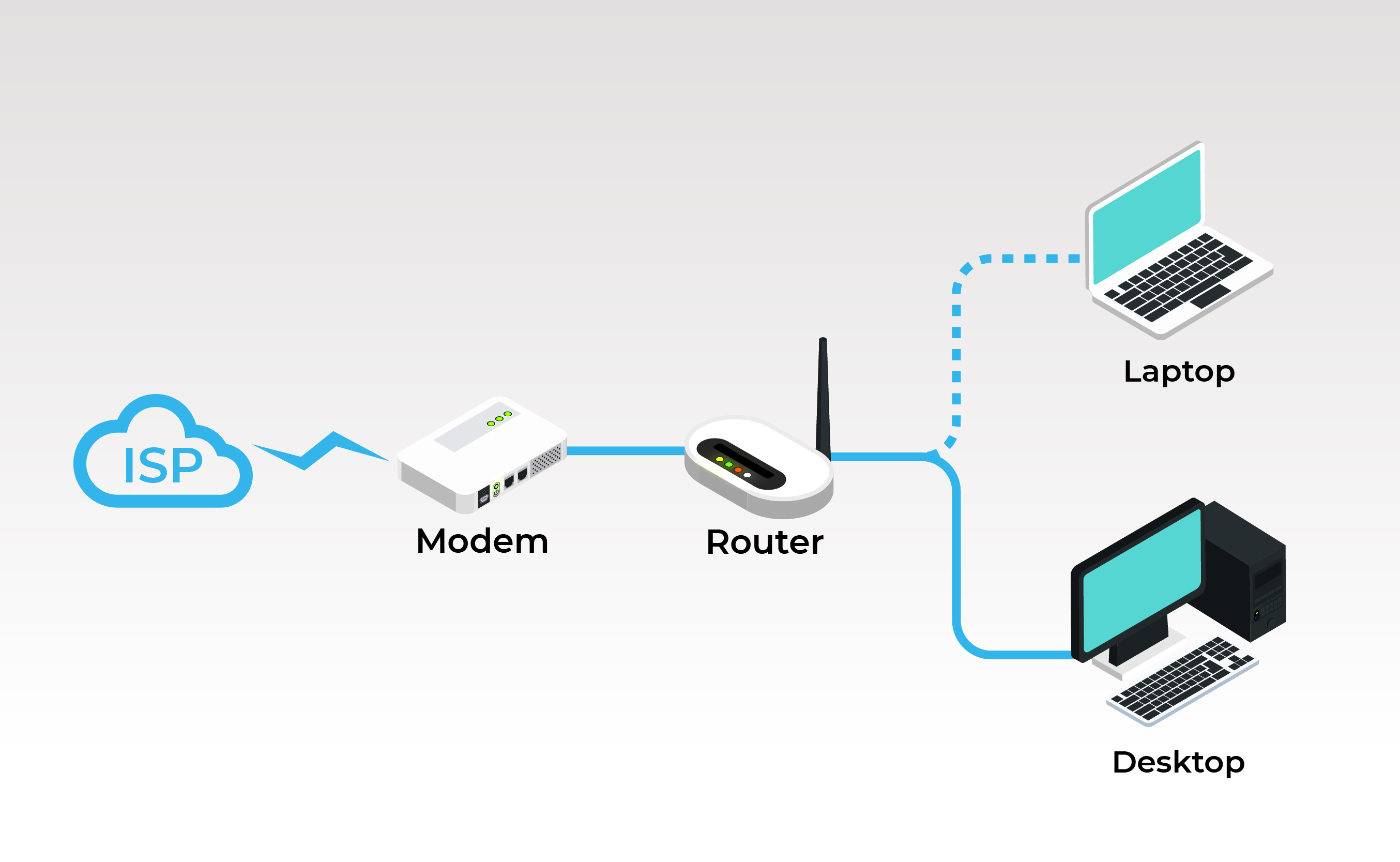
In the realm of networking, understanding the differences between a Switch vs Router is crucial for designing efficient and effective networks. Both devices play pivotal roles in network infrastructure, but they serve distinct purposes and operate at different layers of the network model. This post will delve into the functionalities, differences, and use cases of switches and routers to provide a comprehensive understanding of these essential networking components.
Understanding Switches
A switch is a networking device that operates at the data link layer (Layer 2) of the OSI model. Its primary function is to connect multiple devices within a local area network (LAN) and facilitate communication between them. Switches use MAC addresses to forward data to the correct destination within the network.
Switches come in various types, including:
- Unmanaged Switches: These are plug-and-play devices with no configuration options. They are ideal for small networks or home use.
- Managed Switches: These offer advanced features such as VLANs, QoS, and port mirroring, making them suitable for larger and more complex networks.
- Smart Switches: These fall between unmanaged and managed switches, offering some configuration options but at a lower cost than fully managed switches.
Switches are essential for improving network performance by reducing collisions and broadcast traffic. They create separate collision domains for each port, ensuring that data packets are sent only to the intended recipient.
Understanding Routers
A router, on the other hand, operates at the network layer (Layer 3) of the OSI model. Its primary function is to connect multiple networks and route data packets between them. Routers use IP addresses to determine the best path for data to travel from the source to the destination.
Routers are crucial for:
- Connecting different networks, such as LANs and WANs.
- Providing internet access to devices within a network.
- Implementing security features like firewalls and NAT (Network Address Translation).
Routers come in various types, including:
- Home Routers: These are designed for small networks and typically include features like Wi-Fi and basic security settings.
- Enterprise Routers: These are designed for large networks and offer advanced features like VPN support, load balancing, and high-speed connectivity.
- Core Routers: These are used in the backbone of the internet and are designed to handle massive amounts of traffic efficiently.
Routers are essential for enabling communication between different networks and ensuring that data packets are routed efficiently to their destinations.
Switch vs Router: Key Differences
While both switches and routers are essential for network functionality, they have several key differences:
| Feature | Switch | Router |
|---|---|---|
| Layer of Operation | Data Link Layer (Layer 2) | Network Layer (Layer 3) |
| Addressing Scheme | MAC Addresses | IP Addresses |
| Primary Function | Connects devices within a LAN | Connects multiple networks |
| Collision Domains | Creates separate collision domains for each port | Does not create collision domains |
| Broadcast Domains | Broadcasts within the same VLAN | Broadcasts within the same subnet |
These differences highlight the distinct roles that switches and routers play in a network. Switches are focused on local communication within a LAN, while routers are responsible for interconnecting different networks and ensuring efficient data routing.
Use Cases for Switches and Routers
Understanding the use cases for switches and routers can help in designing an effective network infrastructure. Here are some common scenarios where each device is used:
Use Cases for Switches
Switches are ideal for:
- Connecting multiple devices within a LAN, such as computers, printers, and servers.
- Improving network performance by reducing collisions and broadcast traffic.
- Segmenting a network into VLANs to enhance security and manageability.
- Providing Power over Ethernet (PoE) to devices like IP cameras and VoIP phones.
For example, in a corporate office, switches can be used to connect all the computers and printers within the office, ensuring efficient communication and data transfer.
Use Cases for Routers
Routers are ideal for:
- Connecting different networks, such as a LAN to the internet or a LAN to a WAN.
- Providing internet access to devices within a network.
- Implementing security features like firewalls and NAT.
- Routing data packets efficiently between different networks.
For example, in a home network, a router can be used to connect the home LAN to the internet, providing internet access to all devices within the home.
💡 Note: In some cases, a single device can function as both a switch and a router, often referred to as a "switch-router" or "layer 3 switch." These devices combine the functionalities of both switches and routers, making them versatile for various networking needs.
Choosing Between a Switch vs Router
When deciding between a switch and a router, it's essential to consider the specific needs of your network. Here are some factors to consider:
- Network Size: For small networks, a switch may be sufficient. For larger networks or those requiring internet access, a router is necessary.
- Network Complexity: For simple networks, a switch can handle local communication. For complex networks with multiple subnets or VLANs, a router is needed.
- Performance Requirements: If your network requires high performance and low latency, a switch can help by reducing collisions and broadcast traffic.
- Security Needs: If your network requires advanced security features like firewalls and NAT, a router is essential.
By considering these factors, you can make an informed decision about whether a switch, a router, or both are needed for your network.
In summary, switches and routers are both essential components of a network, each serving distinct purposes. Switches operate at the data link layer and are used for local communication within a LAN, while routers operate at the network layer and are used for interconnecting different networks. Understanding the differences and use cases for each device can help in designing an effective and efficient network infrastructure.
In conclusion, the choice between a Switch vs Router depends on the specific needs of your network. By understanding the functionalities, differences, and use cases of switches and routers, you can make informed decisions about the best networking devices for your infrastructure. Whether you need to connect devices within a LAN or interconnect multiple networks, knowing the roles of switches and routers is crucial for designing a robust and efficient network.