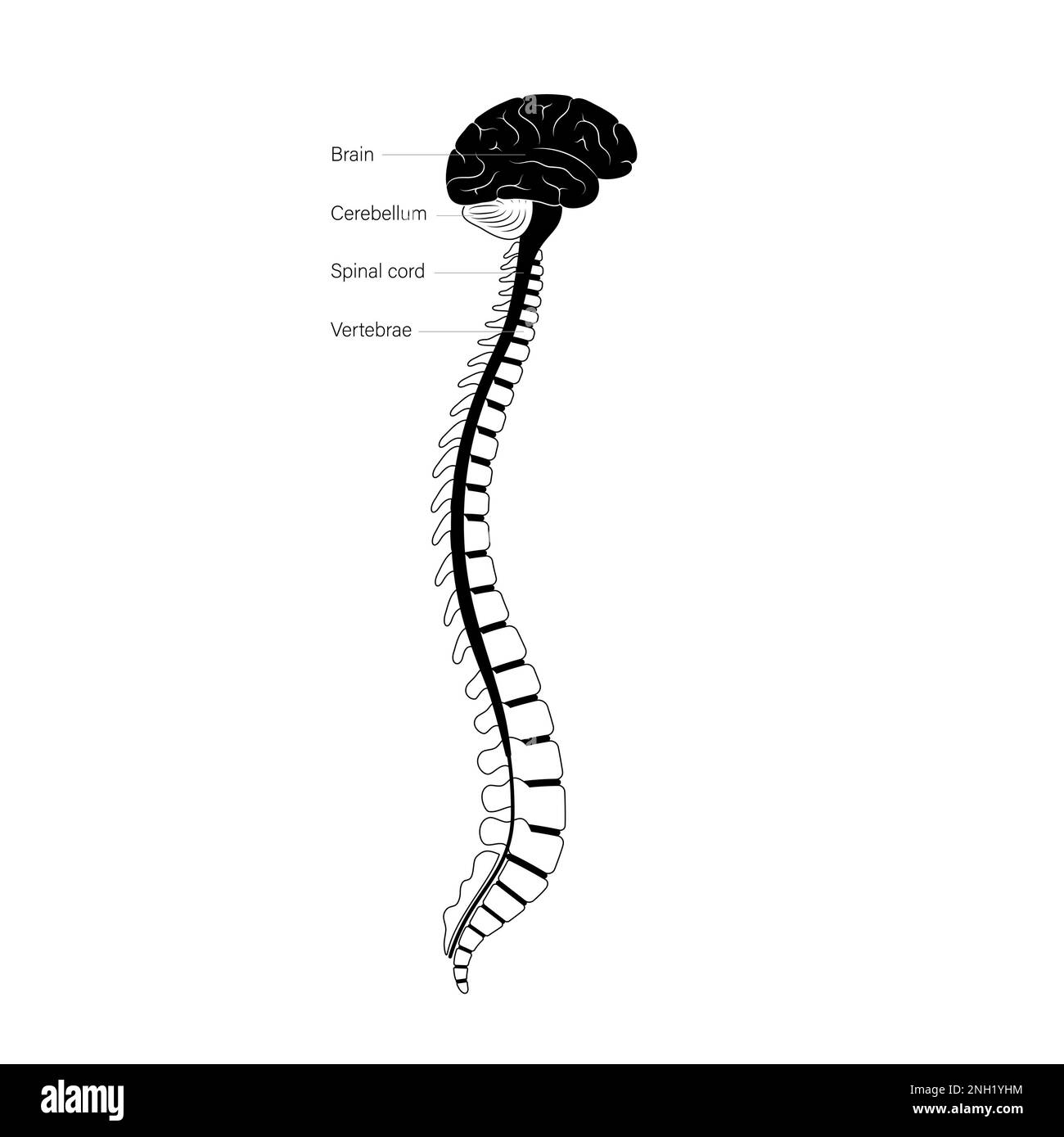
Creating a detailed and accurate spinal cord drawing is a challenging yet rewarding task for artists, medical illustrators, and students alike. The spinal cord is a complex structure that plays a crucial role in the human nervous system, and capturing its intricacies in a drawing requires a deep understanding of anatomy and a keen eye for detail. This guide will walk you through the steps to create a precise and informative spinal cord drawing, from gathering reference materials to adding the final touches.
Understanding the Spinal Cord
The spinal cord is a long, cylindrical bundle of nervous tissue and support cells that extends from the brainstem to the lower back. It is responsible for transmitting signals between the brain and the rest of the body, controlling motor functions, and relaying sensory information. Before diving into the drawing process, it’s essential to understand the key components of the spinal cord:
- Gray Matter: The inner part of the spinal cord, which contains nerve cell bodies and is responsible for processing information.
- White Matter: The outer part of the spinal cord, composed of myelinated axons that transmit signals.
- Spinal Nerves: Nerves that branch off from the spinal cord and connect to various parts of the body.
- Vertebrae: The bones that protect the spinal cord and provide structural support.
Gathering Reference Materials
To create an accurate spinal cord drawing, you need reliable reference materials. These can include:
- Anatomy textbooks and medical illustrations
- Online resources and educational websites
- 3D models and interactive diagrams
- Photographs and X-rays (if available)
Having a variety of references will help you capture the spinal cord’s structure and details more accurately.
Choosing the Right Tools
The tools you choose for your spinal cord drawing will depend on your personal preference and the level of detail you want to achieve. Common tools include:
- Pencils (HB, 2B, 4B, etc.) for sketching and shading
- Erasers for correcting mistakes
- Fine-tip pens or markers for outlining and adding details
- Colored pencils or markers for adding color (optional)
- Drawing paper or sketchbook
For digital artists, software like Adobe Photoshop, Procreate, or Corel Painter can be used to create detailed and precise drawings.
Sketching the Basic Structure
Begin by sketching the basic structure of the spinal cord. This includes the vertebrae, the spinal cord itself, and the spinal nerves. Use light pencil strokes to create an outline, focusing on the overall shape and proportions.
Here are the steps to follow:
- Draw the vertebrae as a series of stacked ovals or rectangles, depending on the view you want to create (front, side, or 3D).
- Inside the vertebrae, sketch the spinal cord as a long, cylindrical shape.
- Add the spinal nerves branching off from the spinal cord at regular intervals.
At this stage, focus on getting the proportions and placement correct. You can refine the details later.
Adding Details to the Spinal Cord
Once you have the basic structure in place, it’s time to add details to your spinal cord drawing. This includes the gray matter, white matter, and other internal structures. Use your reference materials to ensure accuracy.
Here are the steps to follow:
- Draw the gray matter as a butterfly-shaped area in the center of the spinal cord.
- Add the white matter around the gray matter, ensuring it fills the rest of the spinal cord.
- Include the dorsal and ventral roots, which connect the spinal nerves to the spinal cord.
- Add any additional details, such as the central canal and the dorsal and ventral horns of the gray matter.
Use fine-tip pens or markers for outlining and adding details. This will help create a clean and precise drawing.
Shading and Highlighting
Shading and highlighting are crucial for adding depth and dimension to your spinal cord drawing. Use a combination of hatching, cross-hatching, and stippling to create shadows and highlights. Pay attention to the light source and how it affects the different parts of the spinal cord.
Here are some tips for shading and highlighting:
- Use darker shades for areas that are in shadow or recessed.
- Use lighter shades for areas that are exposed to light or protruding.
- Blend shades smoothly to create a natural transition between light and dark areas.
- Add highlights to areas that would reflect light, such as the edges of the vertebrae or the spinal nerves.
For digital artists, use layering and blending tools to achieve a smooth and realistic effect.
Adding Color (Optional)
If you want to add color to your spinal cord drawing, use colored pencils or markers to enhance the visual appeal. Choose colors that accurately represent the different parts of the spinal cord, such as:
| Structure | Color |
|---|---|
| Gray Matter | Light gray or beige |
| White Matter | White or light gray |
| Vertebrae | Bone white or light beige |
| Spinal Nerves | Yellow or light brown |
Use color sparingly and ensure it enhances the drawing without overwhelming it.
📝 Note: When adding color, be mindful of the anatomical accuracy. Use colors that are true to the natural appearance of the spinal cord and its components.
Final Touches and Review
Once you have completed your spinal cord drawing, take a step back and review it for accuracy and detail. Look for any areas that need refinement or correction. Make any necessary adjustments to ensure the drawing is as precise and informative as possible.
Here are some final touches to consider:
- Check the proportions and placement of all structures.
- Ensure all details are accurately represented.
- Add any missing elements or correct any errors.
- Refine shading and highlighting for a more realistic effect.
Take your time with this step to ensure your drawing is of the highest quality.
Creating a detailed and accurate spinal cord drawing requires a combination of anatomical knowledge, artistic skill, and attention to detail. By following the steps outlined in this guide, you can create a precise and informative drawing that captures the complexity of the spinal cord. Whether you are an artist, medical illustrator, or student, mastering the art of spinal cord drawing will enhance your understanding and appreciation of this vital structure.
Related Terms:
- spinal cord diagram easy
- spinal cord drawing labeled
- spinal cord unlabeled diagram
- easy to draw spinal cord
- human spinal cord diagram
- spinal cord image anatomy