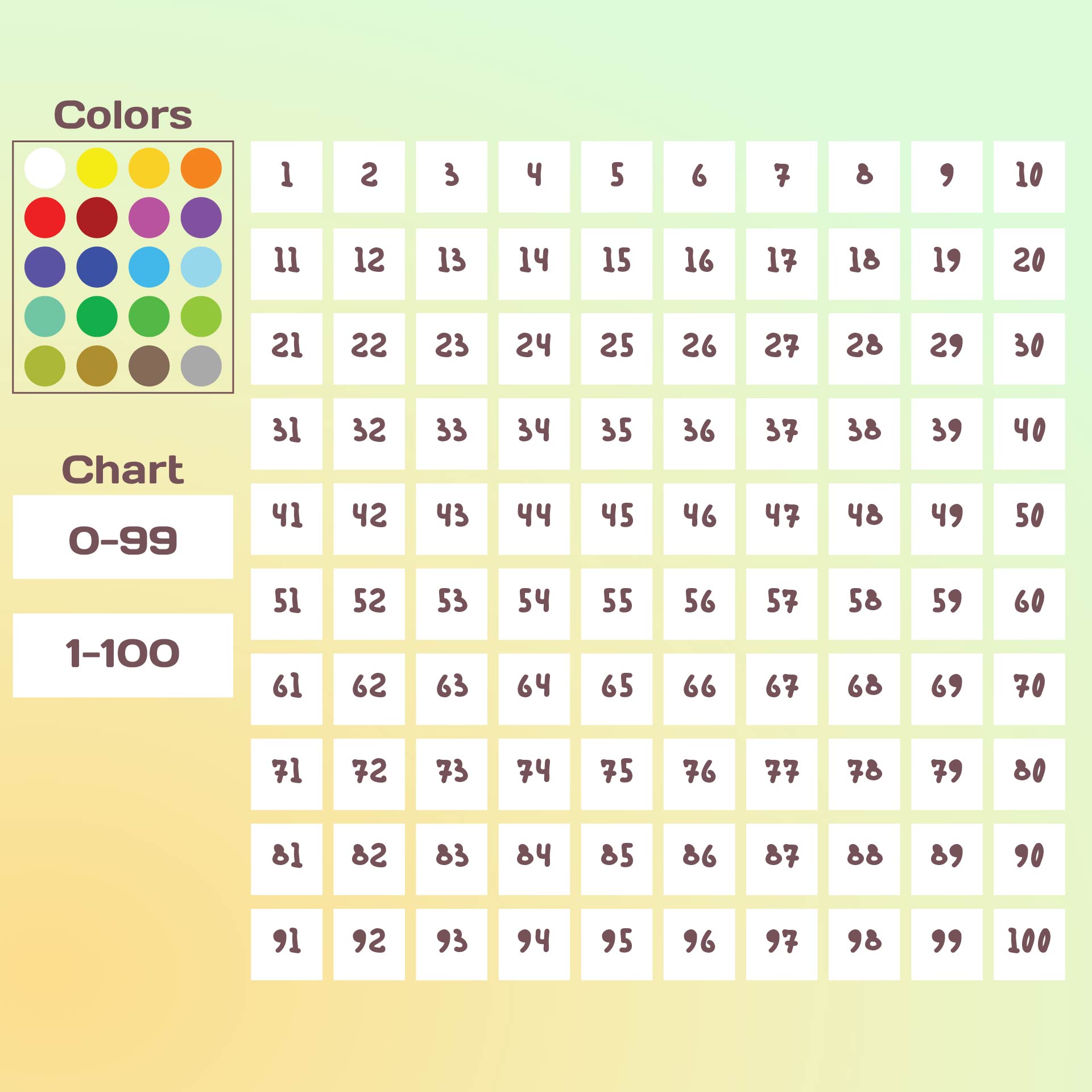
In the realm of educational tools, the Interactive Hundreds Chart stands out as a versatile and engaging resource for teaching and learning mathematics. This dynamic tool is not just a static grid of numbers; it is an interactive platform that brings the hundreds chart to life, making it an invaluable asset for educators and students alike. Whether you are a teacher looking to enhance your classroom activities or a parent seeking to support your child's mathematical development, the Interactive Hundreds Chart offers a wealth of benefits and applications.
Understanding the Hundreds Chart
The hundreds chart is a fundamental tool in elementary mathematics education. It is a 10x10 grid that displays numbers from 1 to 100 in sequential order. Each row contains ten numbers, and the chart is typically arranged with the numbers increasing from left to right and top to bottom. This layout provides a visual representation of numerical patterns and relationships, making it easier for students to grasp concepts such as counting, addition, subtraction, and place value.
Benefits of an Interactive Hundreds Chart
The transition from a static hundreds chart to an Interactive Hundreds Chart amplifies its educational value. Here are some key benefits:
- Engagement: Interactive elements such as clickable numbers, color-coding, and animations make learning more engaging and fun. Students are more likely to stay focused and motivated when they can actively participate in the learning process.
- Visual Learning: The ability to highlight patterns, sequences, and relationships visually helps students understand abstract mathematical concepts more concretely.
- Customization: Many Interactive Hundreds Charts allow for customization, enabling teachers to tailor the chart to specific lessons or student needs. For example, teachers can highlight even or odd numbers, multiples of a certain number, or specific patterns.
- Immediate Feedback: Interactive charts often provide immediate feedback, allowing students to check their answers and correct mistakes in real-time. This instant feedback loop is crucial for reinforcing learning and building confidence.
- Versatility: The Interactive Hundreds Chart can be used for a variety of mathematical concepts, from basic counting to more complex topics like skip counting, number patterns, and even basic algebra.
Applications in the Classroom
The Interactive Hundreds Chart is a versatile tool that can be integrated into various classroom activities. Here are some ways to use it effectively:
- Counting and Number Recognition: Use the chart to help students practice counting and recognizing numbers. Interactive features can make this activity more engaging, such as clicking on numbers in sequence or identifying missing numbers.
- Skip Counting: Highlight specific patterns, such as multiples of 2, 5, or 10, to teach skip counting. Students can click on the highlighted numbers to reinforce the pattern.
- Addition and Subtraction: Use the chart to demonstrate addition and subtraction visually. For example, to add 7 + 5, students can start at 7 and move 5 spaces to the right to land on 12.
- Place Value: Teach place value by highlighting tens and ones. Students can see how numbers are composed of tens and ones, making the concept more tangible.
- Number Patterns: Explore number patterns and sequences, such as odd and even numbers, prime numbers, or Fibonacci sequences. The interactive nature of the chart allows students to discover these patterns through exploration.
Creating an Interactive Hundreds Chart
Creating an Interactive Hundreds Chart can be a straightforward process, depending on the tools and resources available. Here are some steps to guide you through the creation process:
- Choose a Platform: Select a platform or software that supports interactive elements. Popular choices include educational software, online tools, or even coding platforms like Scratch.
- Design the Layout: Create a 10x10 grid and populate it with numbers from 1 to 100. Ensure the layout is clear and easy to navigate.
- Add Interactive Features: Incorporate interactive elements such as clickable numbers, color-coding, and animations. These features should enhance the learning experience without overwhelming the user.
- Test and Refine: Test the chart with a small group of students to gather feedback and make necessary adjustments. Ensure the chart is user-friendly and meets the educational goals.
💡 Note: When creating an Interactive Hundreds Chart, consider the age and skill level of your students. Younger students may benefit from simpler interactions, while older students can handle more complex features.
Examples of Interactive Hundreds Chart Activities
Here are some specific activities that can be facilitated using an Interactive Hundreds Chart:
- Number Hunt: Hide specific numbers on the chart and ask students to find them. This activity can be made more challenging by hiding multiple numbers or setting a time limit.
- Pattern Recognition: Highlight a pattern on the chart, such as all the multiples of 3, and ask students to identify the pattern. This activity helps students develop pattern recognition skills.
- Number Line Walk: Use the chart as a number line and have students "walk" from one number to another by clicking on the numbers in sequence. This activity can be used to teach addition, subtraction, and skip counting.
- Color Coding: Assign different colors to different types of numbers (e.g., even numbers in blue, odd numbers in red) and ask students to color-code the chart accordingly. This activity helps students understand the differences between even and odd numbers.
Integrating Technology
Technology plays a crucial role in enhancing the effectiveness of an Interactive Hundreds Chart. Here are some ways to integrate technology:
- Digital Whiteboards: Use digital whiteboards to display the chart and allow students to interact with it in real-time. This is particularly useful for remote learning or large classroom settings.
- Tablets and Smartphones: Utilize tablets and smartphones to provide individual access to the chart. Students can work at their own pace and receive immediate feedback.
- Educational Apps: Explore educational apps that offer interactive hundreds charts. These apps often come with pre-designed activities and games that can be easily integrated into the curriculum.
- Online Platforms: Use online platforms that support interactive content. These platforms can host the chart and provide additional resources such as videos, quizzes, and worksheets.
Assessing Student Progress
Assessing student progress is essential to ensure that the Interactive Hundreds Chart is effectively supporting learning. Here are some methods to assess progress:
- Quizzes and Tests: Create quizzes and tests that evaluate students' understanding of the concepts taught using the chart. These assessments can be administered online or in a traditional format.
- Observation: Observe students as they interact with the chart. Note their engagement, understanding, and any areas where they may be struggling.
- Feedback: Collect feedback from students about their experience with the chart. This can provide valuable insights into its effectiveness and areas for improvement.
- Progress Tracking: Use the interactive features of the chart to track students' progress over time. This can help identify patterns and areas where additional support may be needed.
📊 Note: Regular assessment is key to ensuring that the Interactive Hundreds Chart is meeting its educational goals. Use a variety of assessment methods to gain a comprehensive understanding of student progress.
Challenges and Solutions
While the Interactive Hundreds Chart offers numerous benefits, there are also challenges to consider. Here are some common challenges and potential solutions:
- Technological Barriers: Not all students may have access to the necessary technology. Provide alternative resources or ensure that technology is available in the classroom.
- Distraction: Interactive elements can sometimes be distracting. Ensure that the chart is designed to focus on educational content and minimize distractions.
- Learning Curve: Some students may find the interactive features challenging to use. Provide clear instructions and offer support as needed.
- Engagement Levels: Not all students may be equally engaged by interactive tools. Offer a variety of activities and resources to cater to different learning styles.
Future Trends in Interactive Learning
The field of interactive learning is continually evolving, and the Interactive Hundreds Chart is no exception. Here are some future trends to watch for:
- Augmented Reality (AR): AR technology can enhance the interactive experience by overlaying digital content onto the physical world. This can make the hundreds chart more immersive and engaging.
- Artificial Intelligence (AI): AI can be used to personalize the learning experience by adapting to individual student needs. AI-driven interactive charts can provide tailored feedback and recommendations.
- Gamification: Incorporating game-like elements into the chart can increase student engagement and motivation. Gamified charts can include challenges, rewards, and leaderboards.
- Collaborative Learning: Interactive charts that support collaborative learning can foster teamwork and peer-to-peer support. Students can work together to solve problems and explore patterns.
In conclusion, the Interactive Hundreds Chart is a powerful tool that can transform the way mathematics is taught and learned. Its interactive features, versatility, and ability to engage students make it an invaluable resource for educators and parents alike. By integrating technology and leveraging the chart’s interactive capabilities, educators can create a dynamic and effective learning environment that supports a wide range of mathematical concepts. The future of interactive learning holds even more exciting possibilities, promising to enhance the educational experience for students of all ages.
Related Terms:
- blank hundreds chart
- interactive hundreds chart online
- interactive hundreds chart to 1000
- math playground interactive hundreds chart
- interactive hundreds chart paint
- interactive 100ths chart