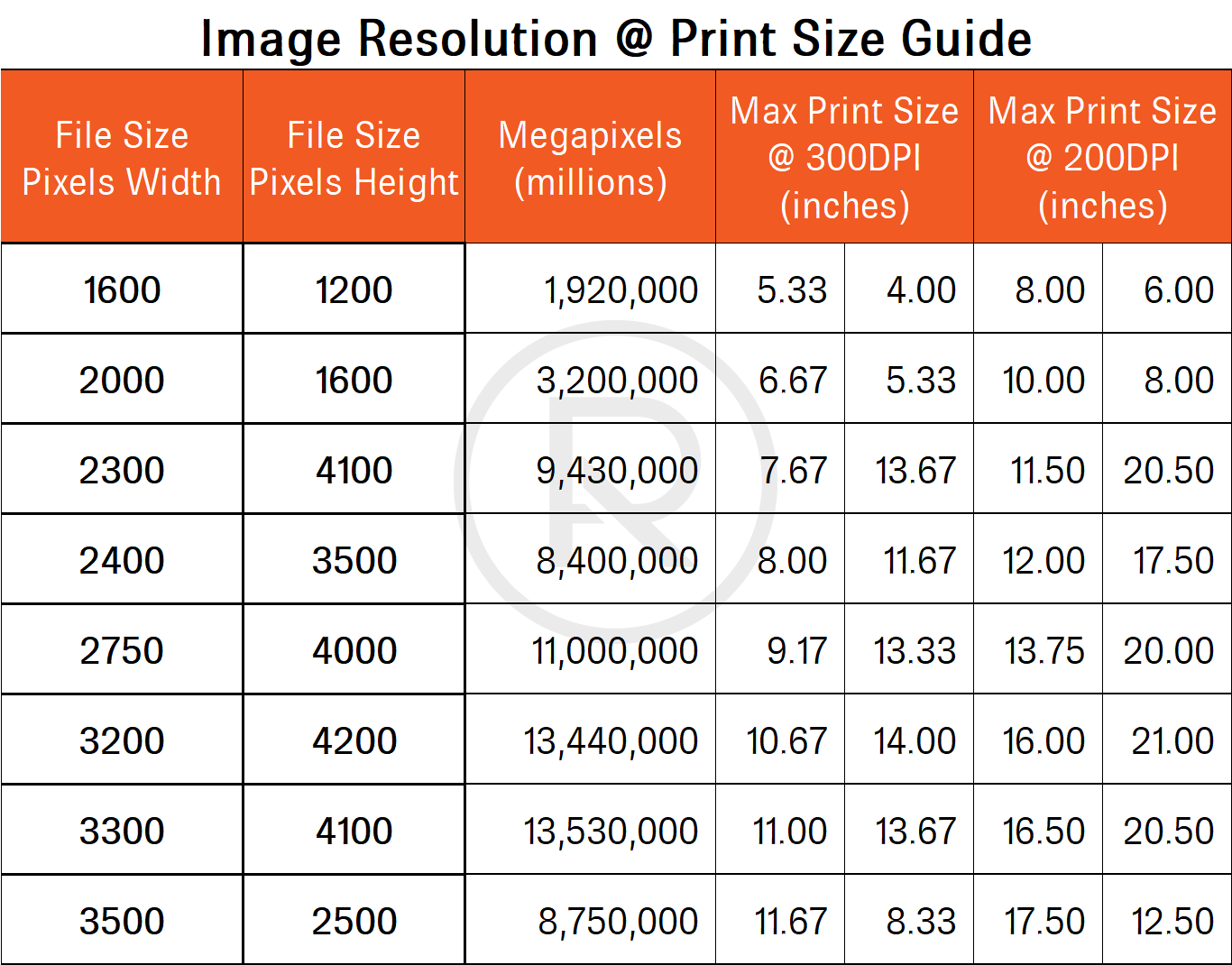
Understanding the conversion between inches and pixels (Inch In Px) is crucial for designers and developers working on digital projects. This conversion ensures that designs are accurately translated from physical measurements to digital screens, maintaining consistency and precision. Whether you're designing a website, creating graphics, or developing software, knowing how to convert inches to pixels can save time and prevent errors.
Understanding Inches and Pixels
Before diving into the conversion process, it's essential to understand what inches and pixels represent.
Inches are a unit of measurement in the imperial system, commonly used in print design. One inch is equal to 2.54 centimeters. Inches are often used to specify the dimensions of physical objects, such as paper sizes or screen sizes.
Pixels, on the other hand, are the smallest units of a digital image or screen. A pixel is a tiny dot that makes up the larger picture on a display. The resolution of a screen is measured in pixels per inch (PPI), which indicates how many pixels fit into one inch of screen space.
The Importance of Inch In Px Conversion
Converting inches to pixels is vital for several reasons:
- Ensuring design consistency across different devices and screen sizes.
- Maintaining the accuracy of measurements in digital projects.
- Preventing issues related to scaling and resolution.
- Facilitating collaboration between designers and developers.
How to Convert Inches to Pixels
The conversion from inches to pixels depends on the screen resolution, specifically the pixels per inch (PPI). The formula to convert inches to pixels is:
Pixels = Inches × PPI
For example, if you have a design element that is 2 inches wide and the screen resolution is 96 PPI, the conversion would be:
Pixels = 2 inches × 96 PPI = 192 pixels
Common Screen Resolutions and PPI
Different devices have varying screen resolutions and PPI values. Here are some common PPI values for different devices:
| Device | PPI |
|---|---|
| Standard Desktop Monitor | 96 |
| Apple Retina Display | 220-326 |
| High-Resolution Smartphones | 300-400 |
| Tablets | 150-264 |
It's important to note that the PPI value can vary even within the same category of devices. Always check the specific PPI of the device you are designing for to ensure accurate conversions.
Tools for Inch In Px Conversion
Several tools and software can help you convert inches to pixels easily. Here are a few popular options:
- Online Converters: Websites like Inch to Pixel Converter allow you to input the inch value and PPI to get the pixel value instantly.
- Design Software: Tools like Adobe Photoshop, Illustrator, and Sketch have built-in features for converting measurements between inches and pixels.
- Browser Extensions: Extensions like Pixel Perfect for Chrome can help you measure elements on a webpage in pixels and convert them to inches.
💡 Note: Always double-check the PPI value of the device you are designing for to ensure accurate conversions.
Practical Examples of Inch In Px Conversion
Let's look at some practical examples to illustrate the conversion process.
Example 1: Web Design
Suppose you are designing a website and need to create a banner that is 5 inches wide. The screen resolution is 96 PPI. To convert the width to pixels:
Pixels = 5 inches × 96 PPI = 480 pixels
So, the banner should be 480 pixels wide.
Example 2: Mobile App Design
If you are designing a mobile app for a device with a PPI of 300, and you need a button that is 1 inch tall, the conversion would be:
Pixels = 1 inch × 300 PPI = 300 pixels
Therefore, the button should be 300 pixels tall.
Example 3: Print to Digital Conversion
For a print design that needs to be converted to a digital format, such as a brochure, you might have a layout that is 8.5 inches wide. If the digital screen has a PPI of 150, the conversion would be:
Pixels = 8.5 inches × 150 PPI = 1275 pixels
Thus, the digital version of the brochure should be 1275 pixels wide.
Best Practices for Inch In Px Conversion
To ensure accurate and efficient conversions, follow these best practices:
- Always use the correct PPI value for the target device.
- Double-check your calculations to avoid errors.
- Use design software with built-in conversion tools for precision.
- Test your designs on the actual devices to ensure they look as intended.
By adhering to these best practices, you can maintain the integrity of your designs and ensure a seamless transition from physical measurements to digital screens.
Inch In Px conversion is a fundamental skill for anyone working in digital design or development. Understanding the relationship between inches and pixels, knowing how to convert between them, and using the right tools can significantly enhance the quality and accuracy of your work. Whether you’re designing for web, mobile, or print, mastering this conversion process will help you create visually appealing and functional digital projects.
Related Terms:
- 1 inch to pixels
- 2 inches in pixels
- 3x3 inches in pixels
- what is inches in px
- 1.8 inches to pixels
- 10 inches to pixels