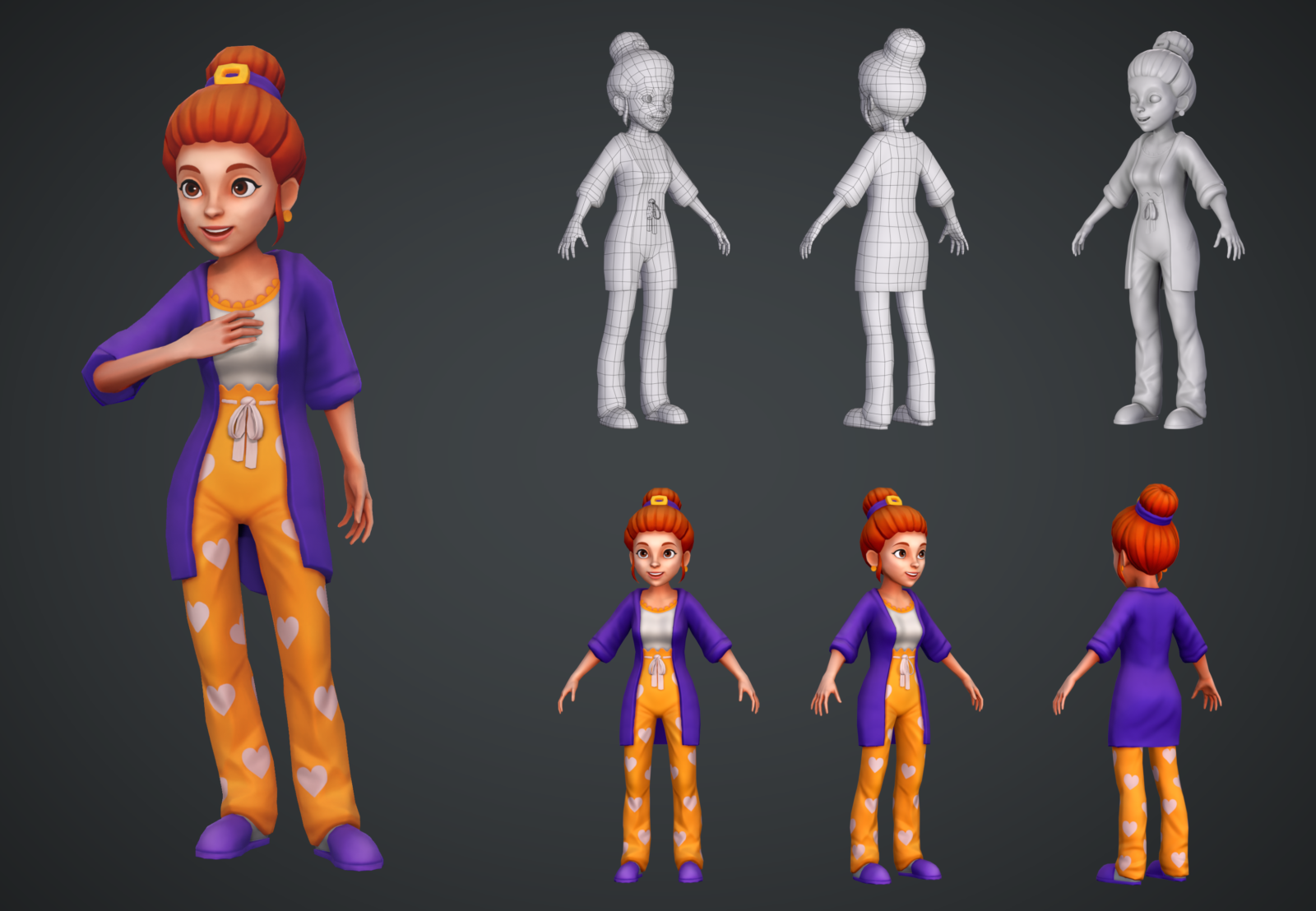
In the ever-evolving world of digital art and design, the ability to create and manipulate 3D models has become increasingly important. Whether you're a professional designer, a hobbyist, or someone looking to explore the fascinating world of 3D art, understanding how to create and render models In 3D Style can open up a world of possibilities. This guide will walk you through the basics of 3D modeling, from choosing the right software to mastering essential techniques and tools.
Choosing the Right 3D Modeling Software
Selecting the right 3D modeling software is the first step in your journey to creating stunning 3D art. There are numerous options available, each with its own strengths and weaknesses. Here are some of the most popular choices:
- Blender: An open-source software that is highly versatile and widely used in the industry. It offers a comprehensive set of tools for modeling, sculpting, animation, and rendering.
- Autodesk Maya: A professional-grade software used extensively in film, television, and game development. It is known for its robust toolset and industry-standard features.
- Autodesk 3ds Max: Another powerful tool from Autodesk, often used in architecture, engineering, and game development. It is known for its ease of use and powerful rendering capabilities.
- ZBrush: A digital sculpting tool that allows artists to create highly detailed models with a natural, tactile feel. It is particularly popular for character design and concept art.
- Cinema 4D: Known for its user-friendly interface and powerful motion graphics capabilities. It is a popular choice for motion designers and visual effects artists.
When choosing software, consider your specific needs, budget, and level of experience. For beginners, Blender is an excellent starting point due to its free availability and extensive community support. For professionals, Autodesk Maya and 3ds Max offer industry-standard tools and features.
Understanding the Basics of 3D Modeling
Before diving into the intricacies of 3D modeling, it's essential to understand the fundamental concepts and techniques. Here are some key terms and concepts to familiarize yourself with:
- Vertices, Edges, and Faces: These are the basic building blocks of 3D models. Vertices are points in 3D space, edges are lines connecting vertices, and faces are the surfaces formed by edges.
- Polygons: The most common type of face in 3D modeling, polygons are flat shapes with straight edges. Triangles and quadrilaterals are the most commonly used polygons.
- Extrusion: A technique used to create new geometry by extending existing faces or edges along a specified axis.
- Beveling: A process that rounds off sharp edges and corners, creating smoother transitions between surfaces.
- Smoothing: A technique used to create curved surfaces by averaging the positions of vertices.
Understanding these concepts will help you navigate the 3D modeling software more effectively and create more complex and detailed models.
Essential 3D Modeling Techniques
Once you have a basic understanding of 3D modeling concepts, you can start exploring essential techniques that will help you create models In 3D Style. Here are some key techniques to master:
- Box Modeling: A technique where you start with a simple shape, such as a cube or sphere, and gradually add details by extruding, beveling, and smoothing.
- NURBS Modeling: Non-Uniform Rational B-Splines (NURBS) are mathematical representations of 3D geometry that allow for smooth, continuous surfaces. This technique is often used in industrial design and automotive modeling.
- Sculpting: A digital sculpting technique that allows artists to create highly detailed models using tools that mimic traditional sculpting methods. This technique is particularly useful for character design and organic shapes.
- Retopology: The process of creating a clean, optimized mesh from a high-polygon model. This technique is essential for preparing models for animation and rendering.
Mastering these techniques will give you the skills needed to create a wide range of 3D models, from simple geometric shapes to complex organic forms.
Creating Your First 3D Model
Now that you have a solid foundation in 3D modeling concepts and techniques, it's time to create your first model. Here's a step-by-step guide to help you get started:
- Choose Your Software: Select the 3D modeling software that best suits your needs and preferences.
- Create a New Project: Open your chosen software and create a new project or scene.
- Start with a Basic Shape: Begin with a simple shape, such as a cube or sphere, and use extrusion and beveling techniques to add details.
- Refine Your Model: Use smoothing and retopology techniques to refine your model and create a clean, optimized mesh.
- Add Textures and Materials: Apply textures and materials to your model to give it a realistic appearance.
- Render Your Model: Use the rendering tools in your software to create a high-quality image or animation of your model.
Creating your first 3D model can be a rewarding experience, and it's a great way to apply what you've learned about 3D modeling concepts and techniques.
💡 Note: Remember to save your work frequently to avoid losing progress. Use layers and groups to organize your project and make it easier to manage.
Advanced 3D Modeling Techniques
Once you've mastered the basics of 3D modeling, you can explore more advanced techniques to create even more impressive models In 3D Style. Here are some advanced techniques to consider:
- Subdivision Surfaces: A technique that allows you to create smooth, continuous surfaces by subdividing polygons into smaller, more detailed polygons.
- Boolean Operations: A set of operations that allow you to combine, subtract, or intersect 3D objects to create complex shapes.
- Particle Systems: A technique used to create complex simulations, such as smoke, fire, or water, by generating and animating a large number of particles.
- Dynamic Simulation: A technique that allows you to simulate the physical behavior of objects, such as cloth, hair, or rigid bodies, using advanced algorithms.
These advanced techniques can help you create more realistic and complex 3D models, but they require a deeper understanding of 3D modeling concepts and more practice to master.
Rendering and Post-Processing
Rendering is the process of converting your 3D model into a 2D image or animation. It involves calculating the lighting, shading, and textures of your model to create a realistic appearance. Here are some key concepts and techniques to consider when rendering your 3D models:
- Lighting: Proper lighting is essential for creating a realistic and visually appealing render. Experiment with different lighting setups, such as three-point lighting or HDR lighting, to achieve the desired effect.
- Shading: Shading techniques, such as Phong shading or Blinn-Phong shading, determine how light interacts with the surfaces of your model. Choose the shading technique that best suits your project.
- Textures: Textures add detail and realism to your model. Use high-resolution textures and UV mapping techniques to ensure that your textures are applied correctly.
- Post-Processing: Post-processing techniques, such as color correction, depth of field, and motion blur, can enhance the final render and give it a more polished look.
Rendering can be a time-consuming process, especially for complex models, but it's an essential step in creating high-quality 3D art. Experiment with different rendering settings and techniques to achieve the best results.
💡 Note: Rendering times can vary significantly depending on the complexity of your model and the settings you use. Consider using a powerful computer with a dedicated graphics card to speed up the rendering process.
Optimizing 3D Models for Different Platforms
Once you've created and rendered your 3D model, you may want to use it in different platforms, such as games, animations, or web applications. Optimizing your model for these platforms is essential to ensure smooth performance and compatibility. Here are some tips for optimizing 3D models:
- Reduce Polygon Count: Simplify your model by reducing the number of polygons. This can be done using techniques such as decimation or retopology.
- Use Low-Poly Models: For real-time applications, such as games, use low-poly models to ensure smooth performance. Add details using textures and normal maps.
- Compress Textures: Compress your textures to reduce file size without sacrificing quality. Use formats such as JPEG or PNG for web applications and DDS for games.
- Optimize Materials: Simplify your materials and shaders to reduce the computational load. Use pre-baked lighting and shadows for real-time applications.
Optimizing your 3D models for different platforms can be challenging, but it's essential for ensuring smooth performance and compatibility. Experiment with different optimization techniques to find the best balance between quality and performance.
💡 Note: Always test your optimized models on the target platform to ensure they perform as expected. Use profiling tools to identify and address performance bottlenecks.
Exploring 3D Printing
3D printing has revolutionized the way we create and manufacture objects. With the right tools and techniques, you can bring your 3D models to life In 3D Style. Here are some key concepts and techniques to consider when exploring 3D printing:
- 3D Printing Software: Use specialized software, such as Cura or PrusaSlicer, to prepare your 3D models for printing. These tools allow you to adjust settings such as layer height, infill, and support structures.
- Material Selection: Choose the right material for your project. Common materials include PLA, ABS, and PETG, each with its own strengths and weaknesses.
- Model Preparation: Ensure your model is watertight and free of errors before printing. Use tools such as MeshLab or Netfabb to repair and optimize your model.
- Print Settings: Adjust print settings, such as temperature, speed, and cooling, to achieve the best results. Experiment with different settings to find the optimal configuration for your model.
3D printing opens up a world of possibilities for creating physical objects from your 3D models. Whether you're a hobbyist or a professional, exploring 3D printing can be a rewarding and exciting experience.
💡 Note: Always follow safety guidelines when using 3D printers. Ensure proper ventilation and handle materials with care to avoid injuries or accidents.
Inspiration and Resources for 3D Artists
Finding inspiration and resources is crucial for any 3D artist looking to improve their skills and stay updated with the latest trends. Here are some valuable resources and communities to explore:
- Online Tutorials and Courses: Websites like YouTube, Udemy, and Skillshare offer a wealth of tutorials and courses on 3D modeling, sculpting, and rendering. These resources can help you learn new techniques and improve your skills.
- Art Communities: Join online communities such as ArtStation, Behance, and DeviantArt to showcase your work, get feedback, and connect with other artists. These platforms are great for finding inspiration and staying motivated.
- Books and E-books: There are numerous books and e-books available on 3D modeling and digital art. Some popular titles include "Digital Lighting and Rendering" by Jeremy Birn and "3D Modeling for Beginners" by John Paul Cook.
- Software Documentation and Forums: Most 3D modeling software comes with comprehensive documentation and active forums. These resources can be invaluable for troubleshooting issues and learning advanced techniques.
Exploring these resources can help you stay inspired and continuously improve your 3D modeling skills. Whether you're a beginner or an experienced artist, there's always more to learn and discover in the world of 3D art.
💡 Note: Engage with the community by sharing your work and providing feedback to others. This not only helps you improve but also fosters a supportive and collaborative environment.
Future Trends in 3D Modeling
The field of 3D modeling is constantly evolving, with new technologies and techniques emerging all the time. Here are some future trends to watch out for:
- Artificial Intelligence and Machine Learning: AI and machine learning are being integrated into 3D modeling software to automate tasks, generate content, and enhance creativity. These technologies have the potential to revolutionize the way we create and manipulate 3D models.
- Virtual Reality and Augmented Reality: VR and AR technologies are becoming more accessible and are being used in 3D modeling and design. These technologies allow artists to immerse themselves in their creations and interact with them in new and exciting ways.
- Cloud-Based 3D Modeling: Cloud-based platforms are making 3D modeling more accessible by providing powerful computing resources and collaboration tools. These platforms allow artists to work on projects from anywhere and collaborate with others in real-time.
- Real-Time Rendering: Advances in real-time rendering technologies are making it possible to create high-quality visuals in real-time. This is particularly useful for applications such as gaming, virtual reality, and interactive simulations.
Staying updated with these trends can help you stay ahead of the curve and continue to create innovative and impressive 3D models In 3D Style.
💡 Note: Keep an eye on industry conferences, webinars, and workshops to stay informed about the latest developments and trends in 3D modeling.
In the ever-evolving world of digital art and design, the ability to create and manipulate 3D models has become increasingly important. Whether you’re a professional designer, a hobbyist, or someone looking to explore the fascinating world of 3D art, understanding how to create and render models In 3D Style can open up a world of possibilities. From choosing the right software to mastering essential techniques and tools, this guide has provided a comprehensive overview of the key concepts and steps involved in 3D modeling. By exploring advanced techniques, optimizing models for different platforms, and staying updated with the latest trends, you can continue to improve your skills and create stunning 3D art. The journey of 3D modeling is one of continuous learning and discovery, and with dedication and practice, you can achieve remarkable results and bring your creative visions to life.
Related Terms:
- 3d art styles in games
- best 3d animation styles
- 3d art styles
- 3d animated styles
- digital 3d animation styles